
Transaction
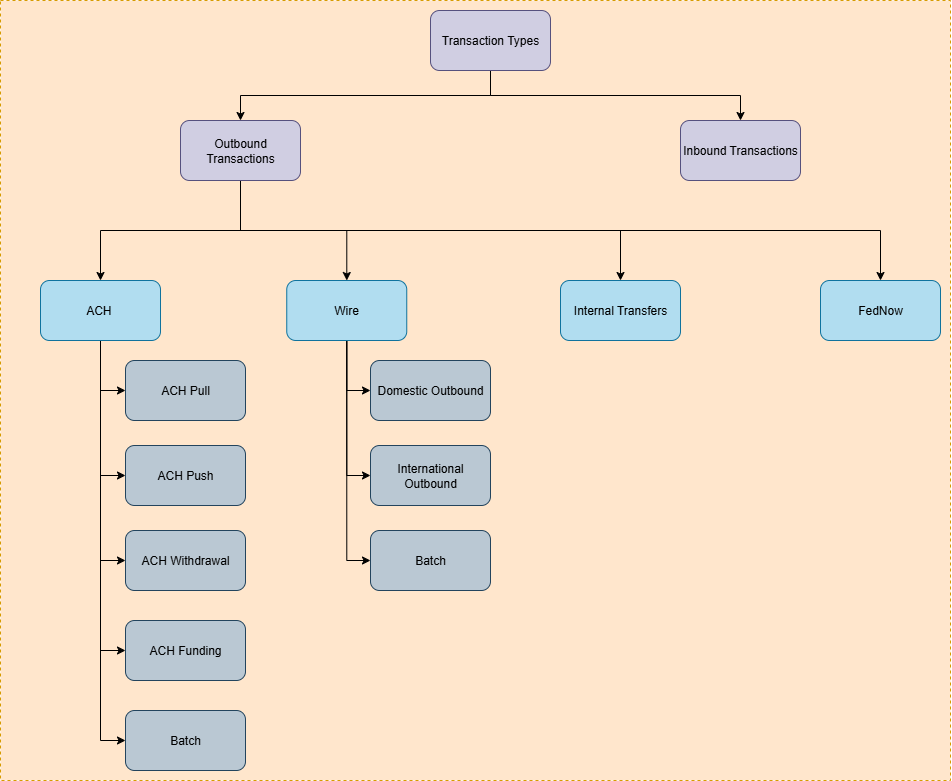
Once all the previous steps are completed, you can create a transaction. This operation is contingent on the type of transaction to be executed.
API Details
API for Creating ACH push transaction
API for Creating ACH pull transaction
API for Creating ACH funding transaction
API for Creating ACH withdrawal transaction
API for Creating Batch Transaction transaction
API for Creating International Wire Outbound Transaction
API for Creating Domestic Wire Outbound Transaction
API for Creating Internal Transfer
Returning an inbound ACH credit
To return an inbound ACH credit you have received, use the ACH return endpoint (POST /transaction/ach/return). A return sends an inbound credit back to the originating bank; it is different from a reversal, which applies to outbound ACH and is not supported for inbound ACH credits.
Currently, R23 (credit entry refused by receiver) is the only supported return code for developer-initiated ACH credit returns.
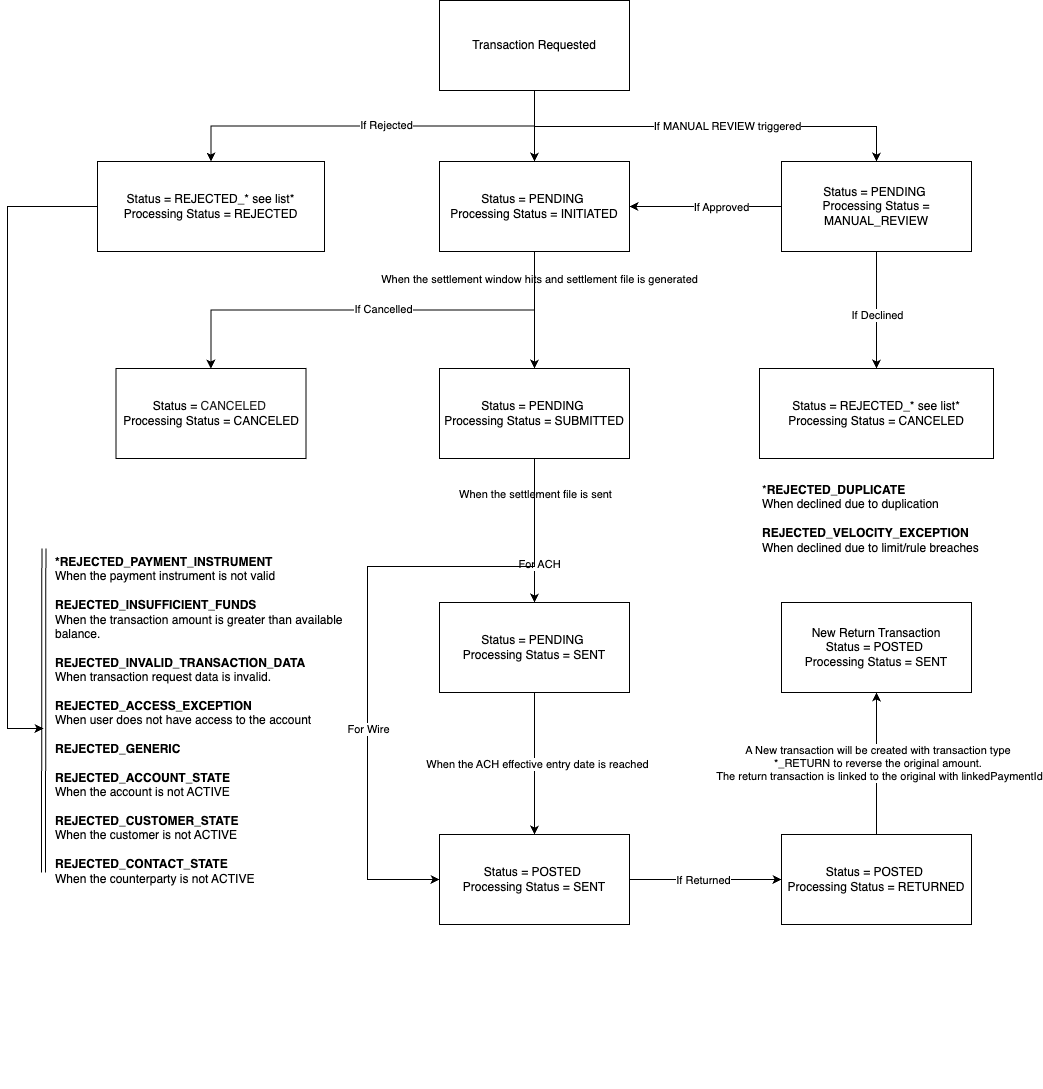
Send the original inbound credit's paymentId together with the return code. When the return is submitted, the original transaction is updated to RETURNED, and a linked return transaction is created with its own paymentId.
Request:
{
  "paymentId": "<original inbound ACH credit paymentId>",
  "returnCode": "R23_CREDIT_ENTRY_REFUSED_BY_RECEIVER"
}
Response:
{
  "returnCode": "R23_CREDIT_ENTRY_REFUSED_BY_RECEIVER",
  "paymentId": "<return transaction paymentId>"
}
Transaction Status Flow
Updated 3 months ago